Fast Alerts • B2B SaaS • Enterprise Retail Technology
Turning temperature alerts into faster action
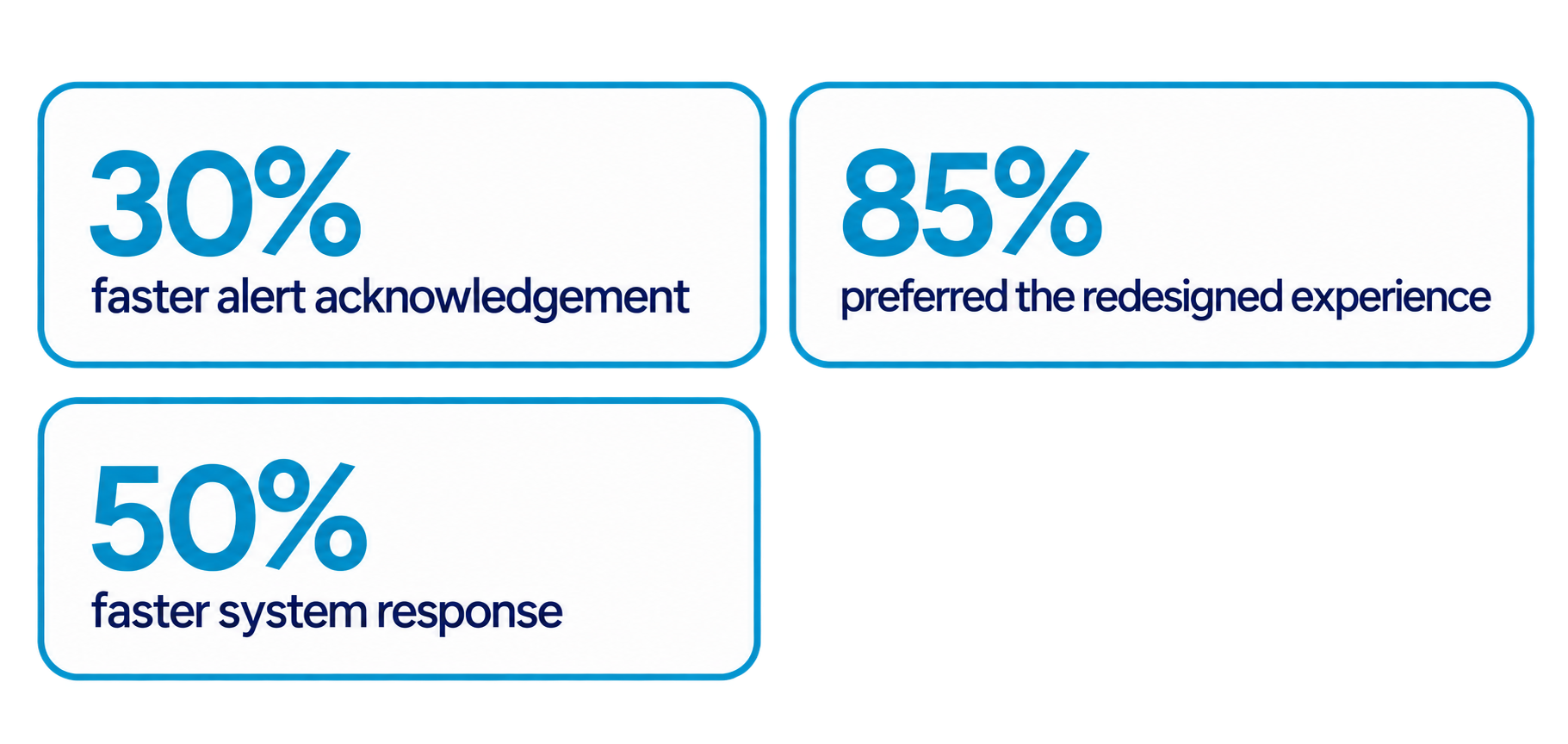
Redesigning Kroger’s enterprise monitoring experience to help store teams identify critical refrigeration issues sooner, respond faster, and reduce costly product loss.
Kroger 2024-2026
1. OVERVIEW
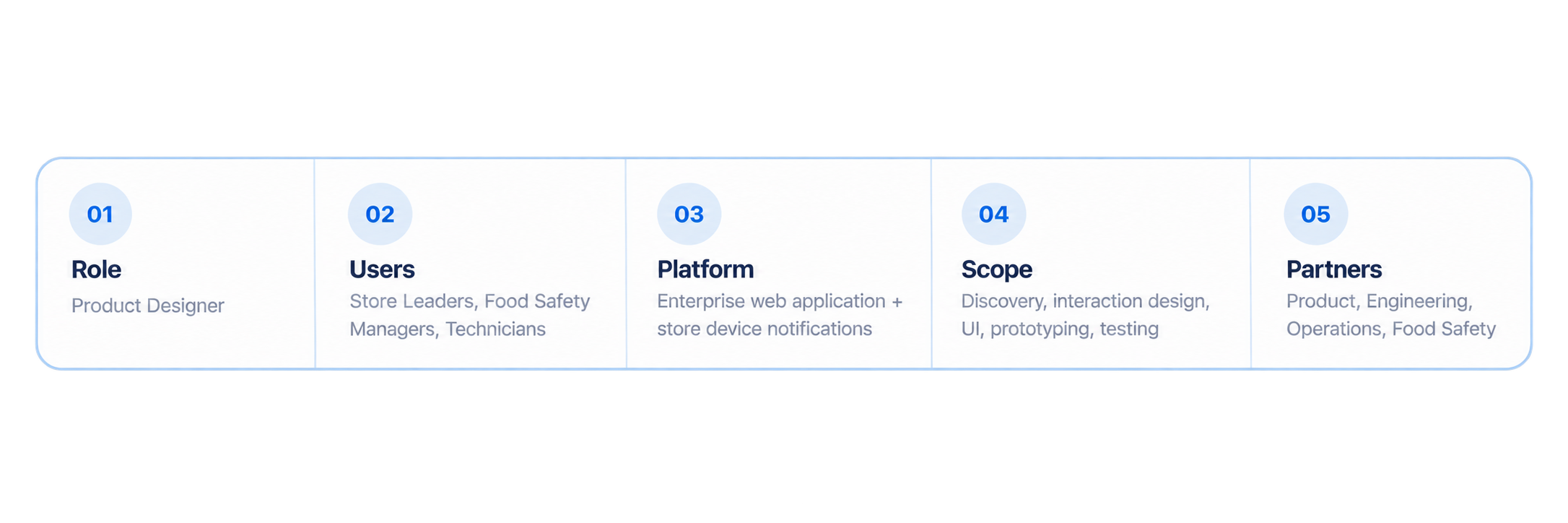
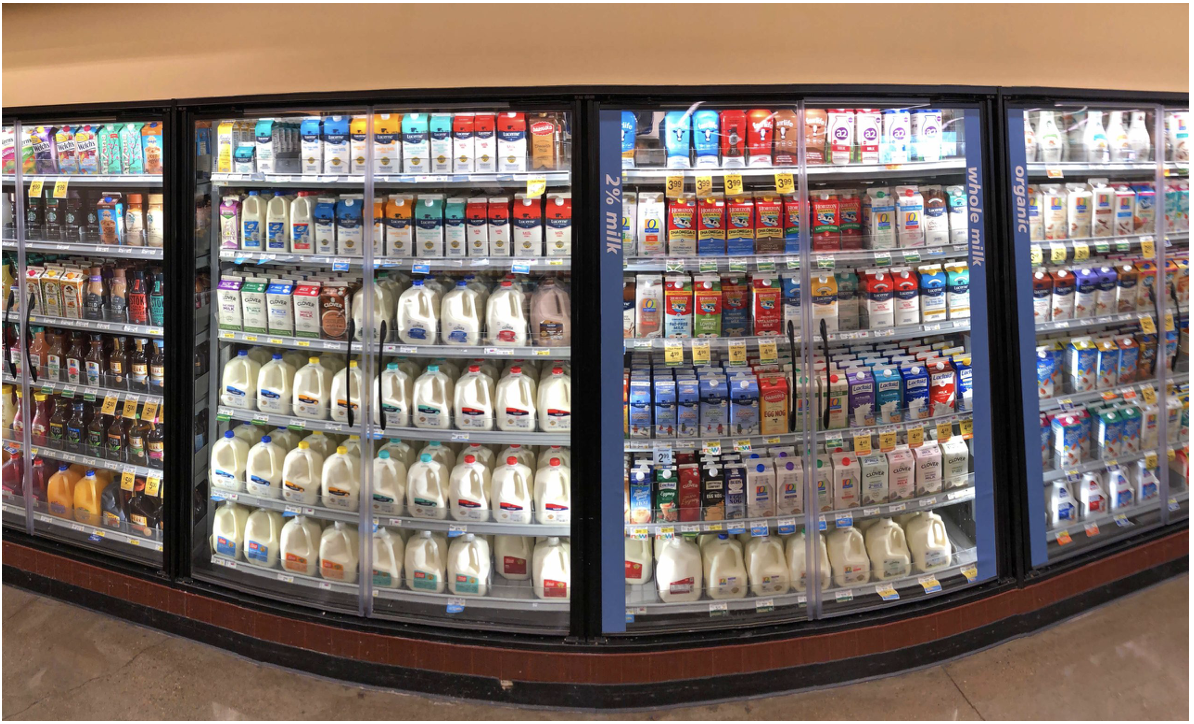
As a Product Designer at Kroger, I led the redesign of FAST Alerts, our enterprise-wide temperature monitoring tool. The application helps store leaders, food safety managers, and technicians ensure food safety and quality by monitoring cooler temperatures in real-time.
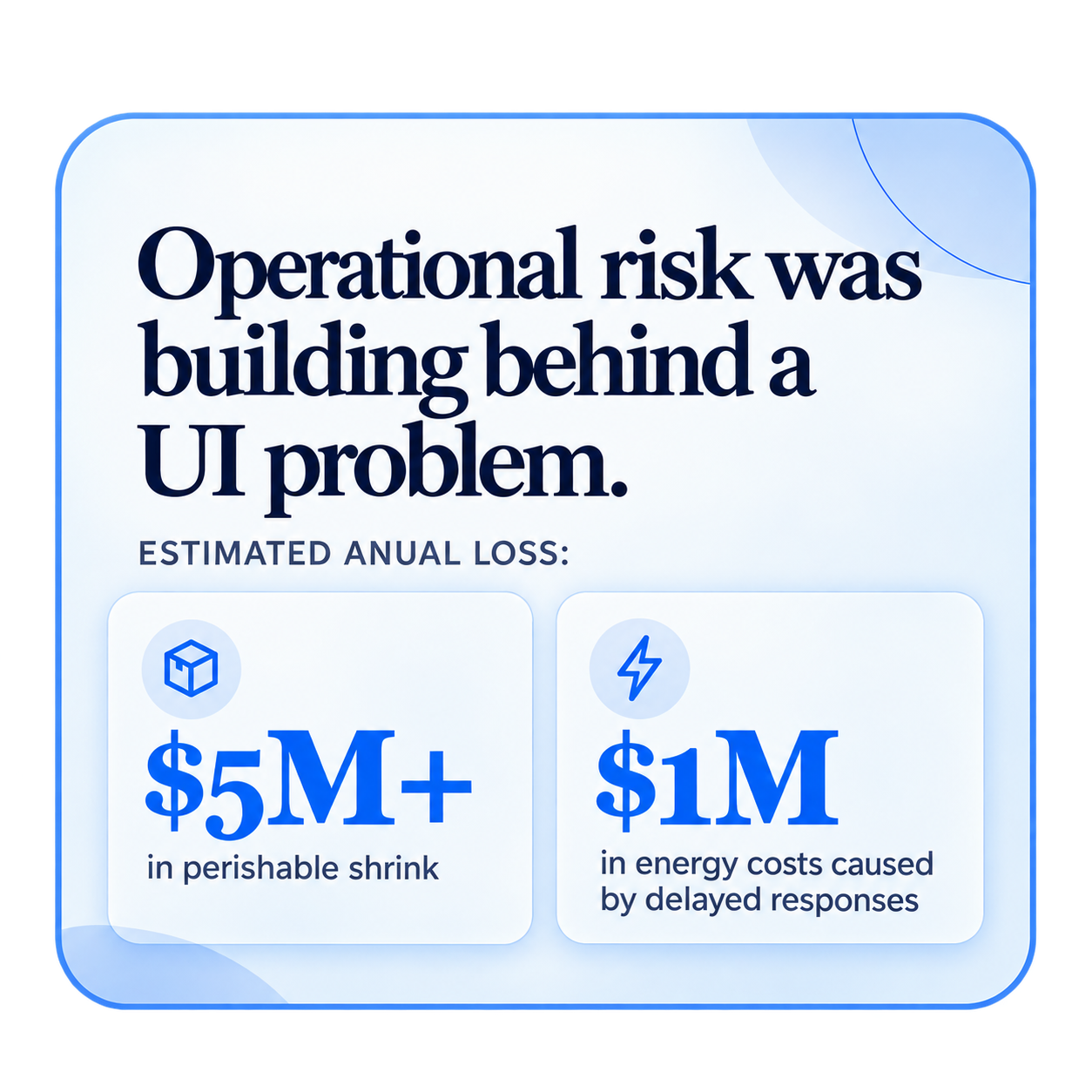
The legacy tool had confusing workflows, lacked urgency indicators, and failed to drive the desired behavior. As a result, Kroger was losing millions of dollars annually in wasted perishable goods and energy inefficiencies.
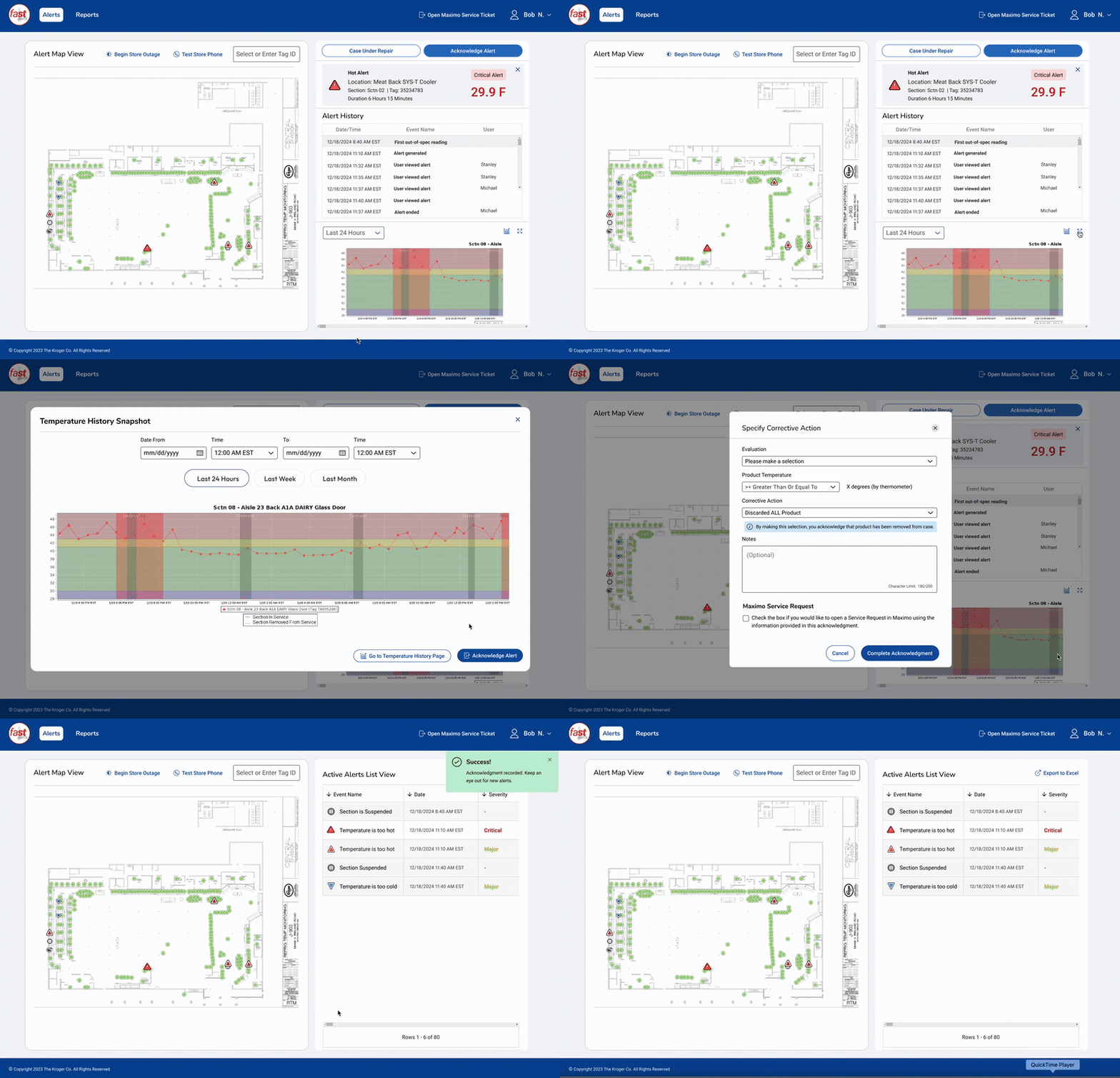
2. THE ALERT ACKNOWLEDGEMENT PROCESS
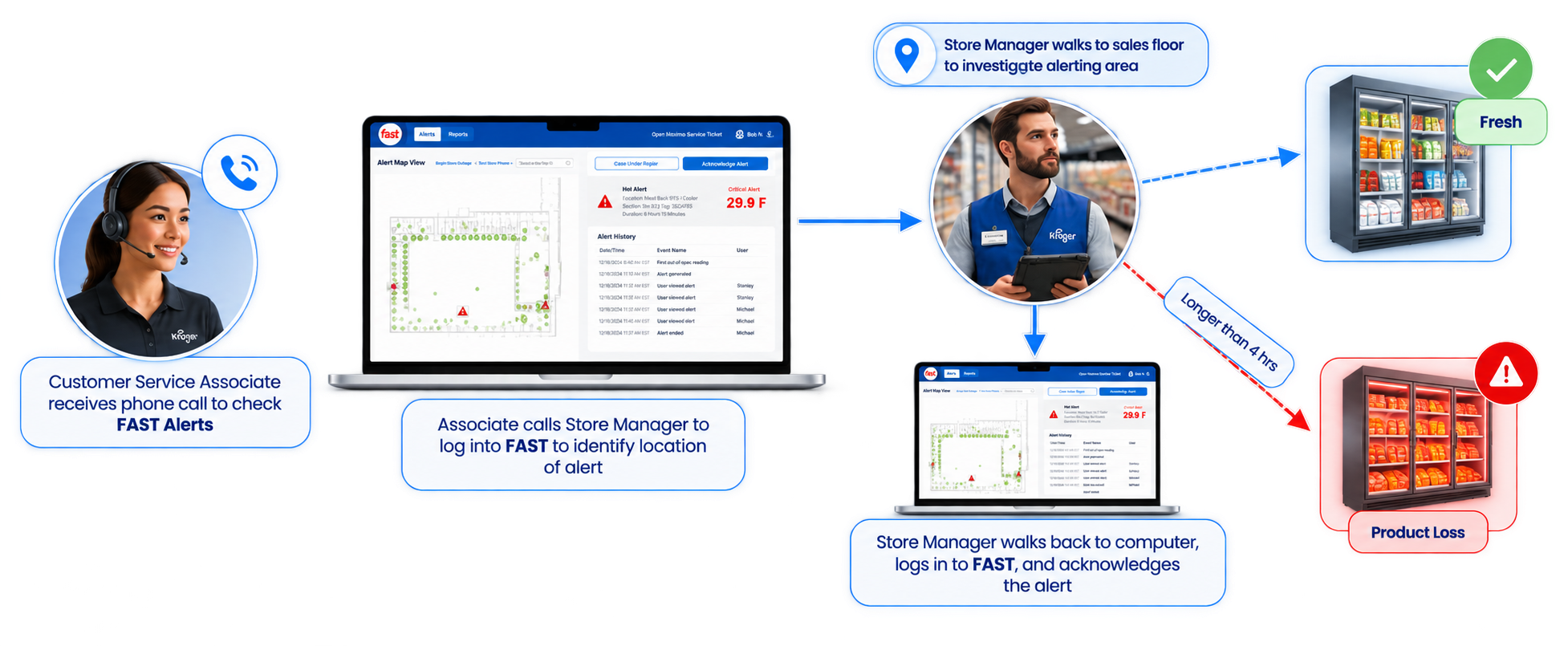
3. THE PROBLEM
A missed alert could become a food-safety issue and a costly product loss.
Store leaders are not consistently responding to temperature alerts in a timely manner. The lack of clear urgency indicators, combined with confusing workflows that require excessive clicks and steps, has led to critical issues being overlooked or unresolved. As a result, Kroger was losing millions of dollars annually in wasted perishable goods and energy inefficiencies.
4. RESEARCH & DISCOVERY
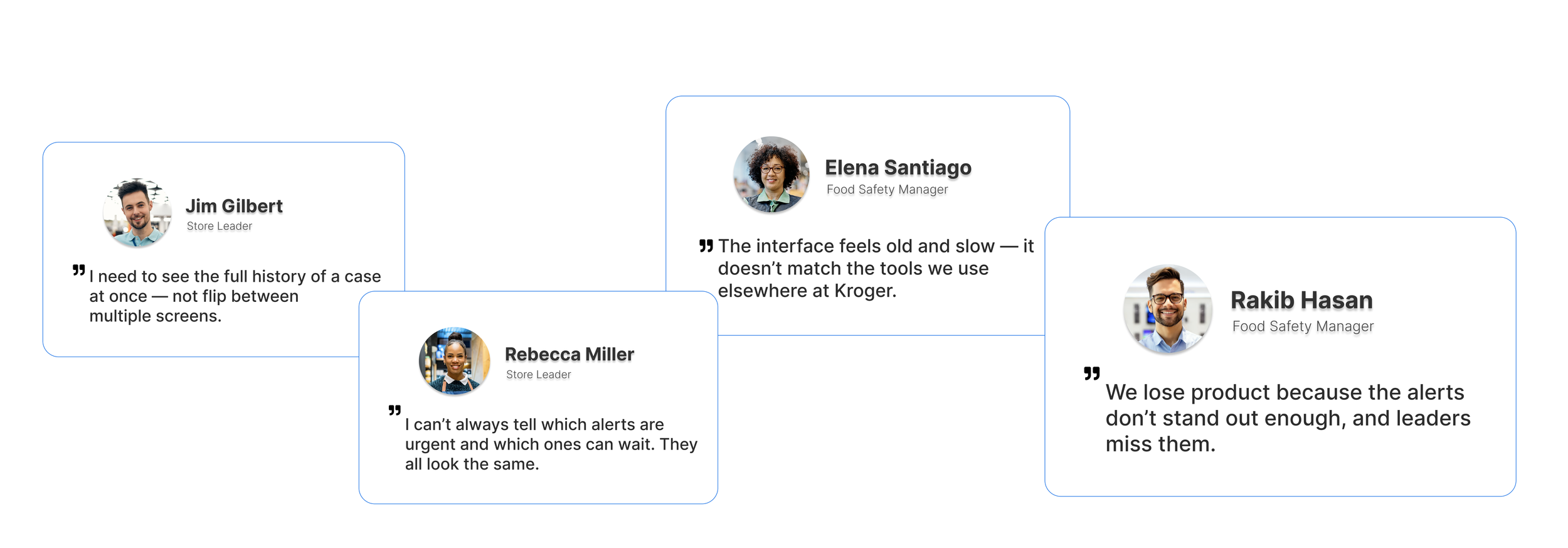
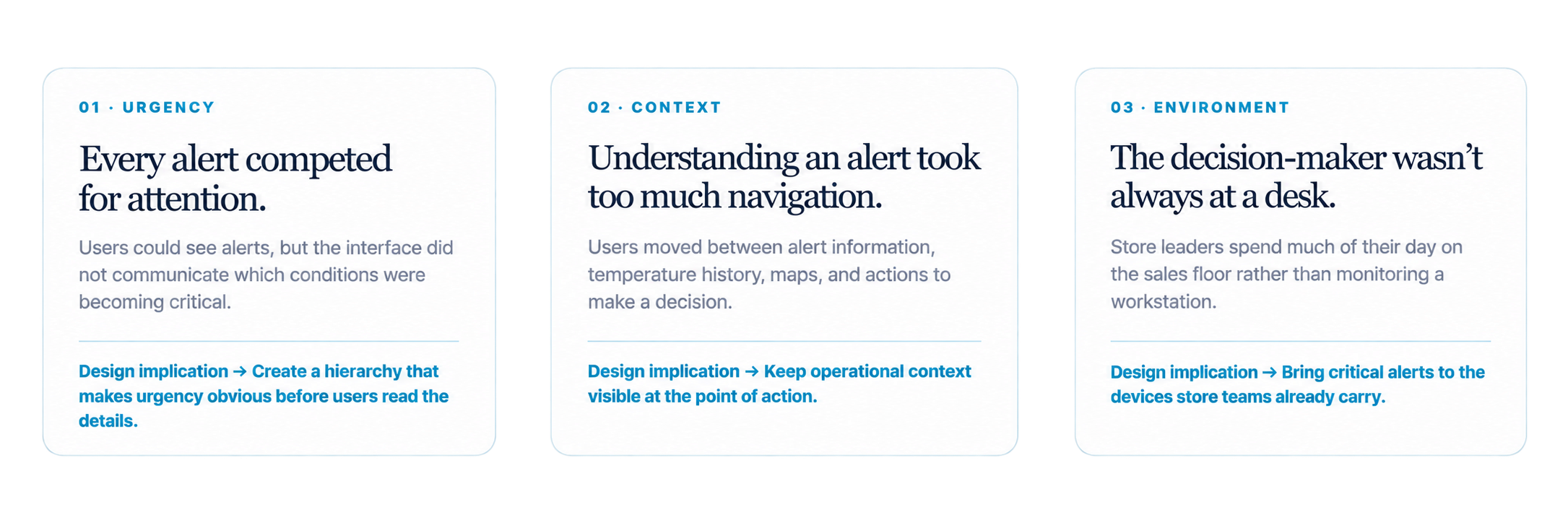
The real problem wasn’t just alert visibility. It was also prioritization.
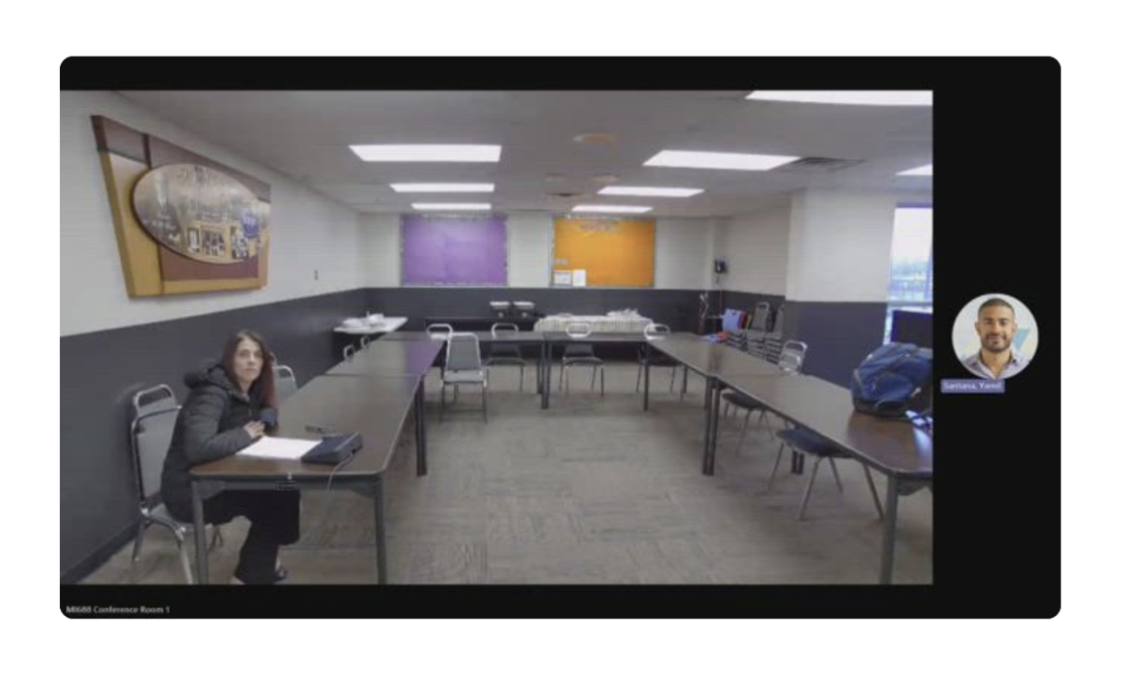
Research with Store Leaders, Food Safety Managers, and Technicians to understand why alerts were being missed shifted the project away from a simple visual refresh and toward clearer operational decision-making.
A Modern Platform for Smarter Temperature Monitoring
The team also chose to modernize the codebase and refresh the user interface, while optimizing user interaction with temperature alerts to help reduce waste costs.
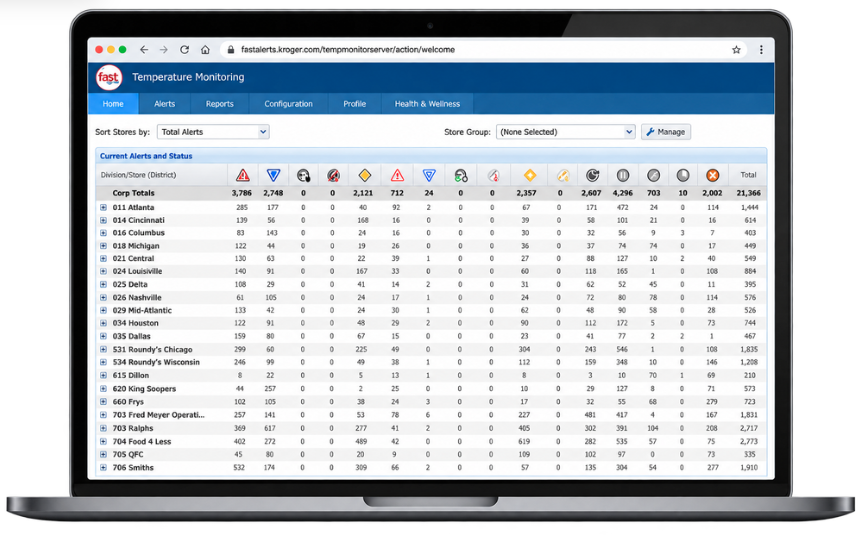
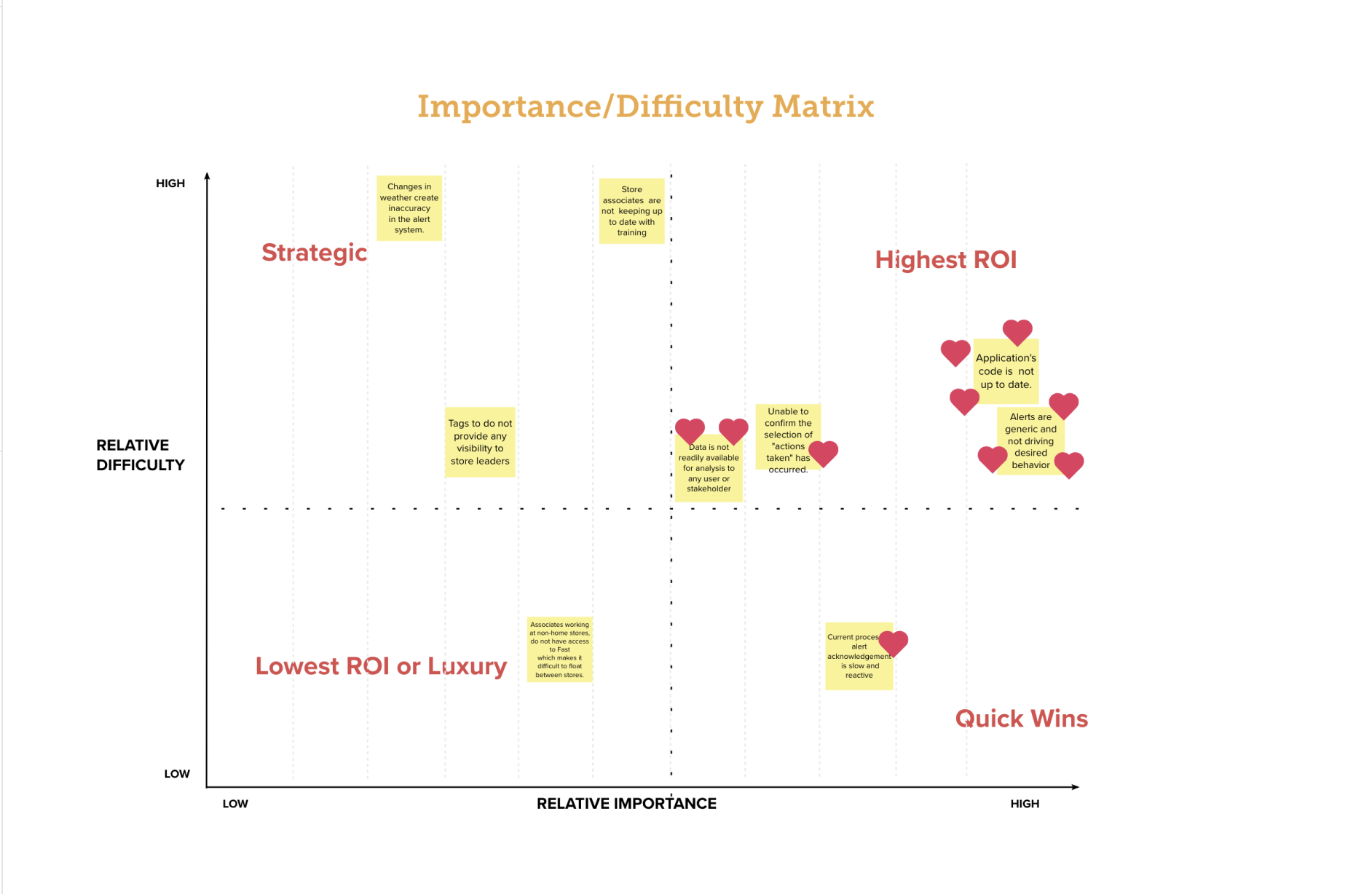
Aging codebase: Outdated frameworks, poorly documented, and difficult to maintain.
Limited scalability: Hard to add new features or fix issues quickly.
Clunky user interface: Non-standardized design and confusing workflows.
5.MY CONTRIBUTION
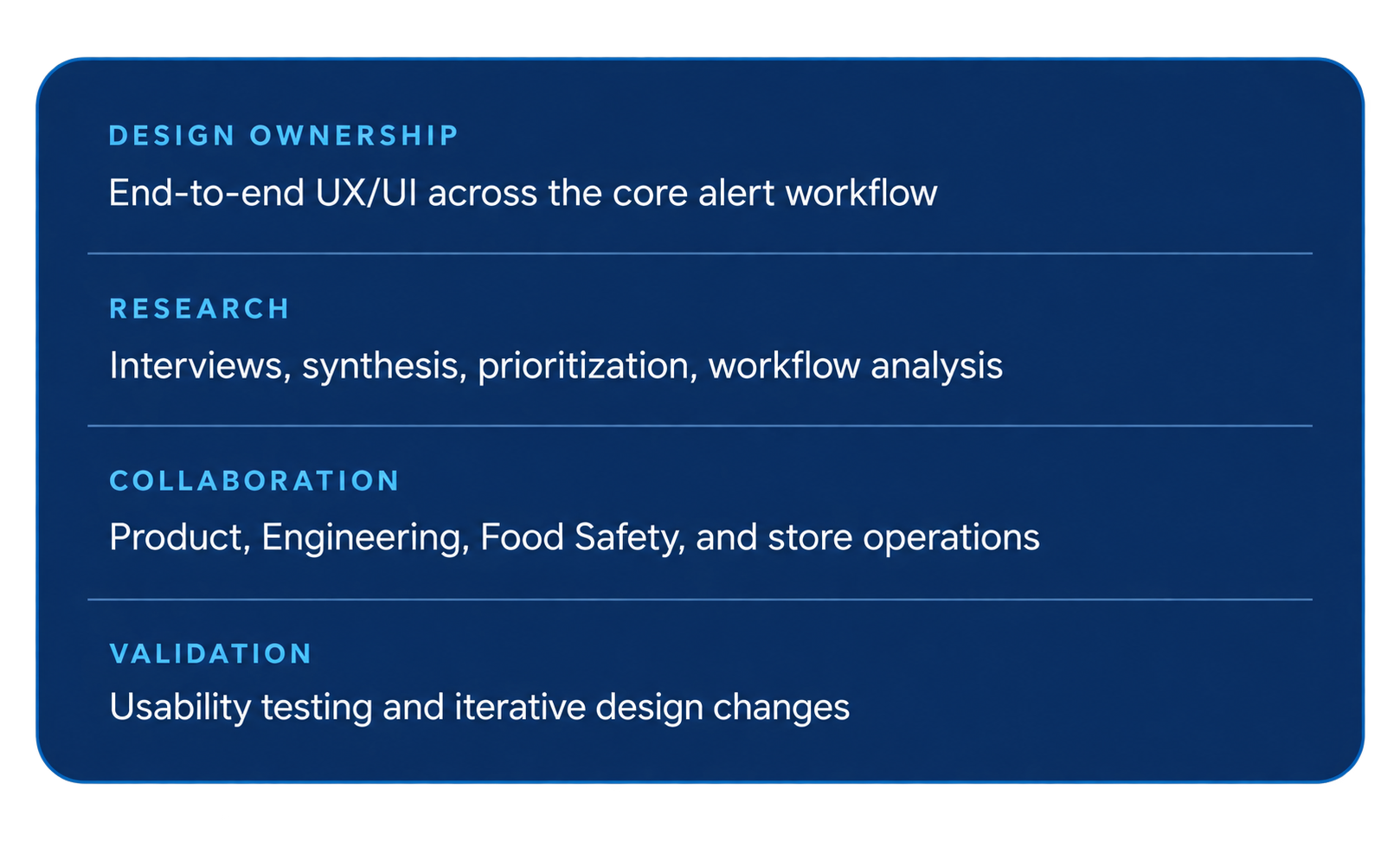
I wasn’t just refreshing the interface. I was reshaping how the system prioritized work.
I led the redesign across discovery, interaction design, prototyping, and validation—working with cross-functional partners to rethink how alerts were prioritized, how much information users needed before acting, and where critical notifications should appear.
6.KEY DECISIONS
DECISION 01 - PRIORITIZATION
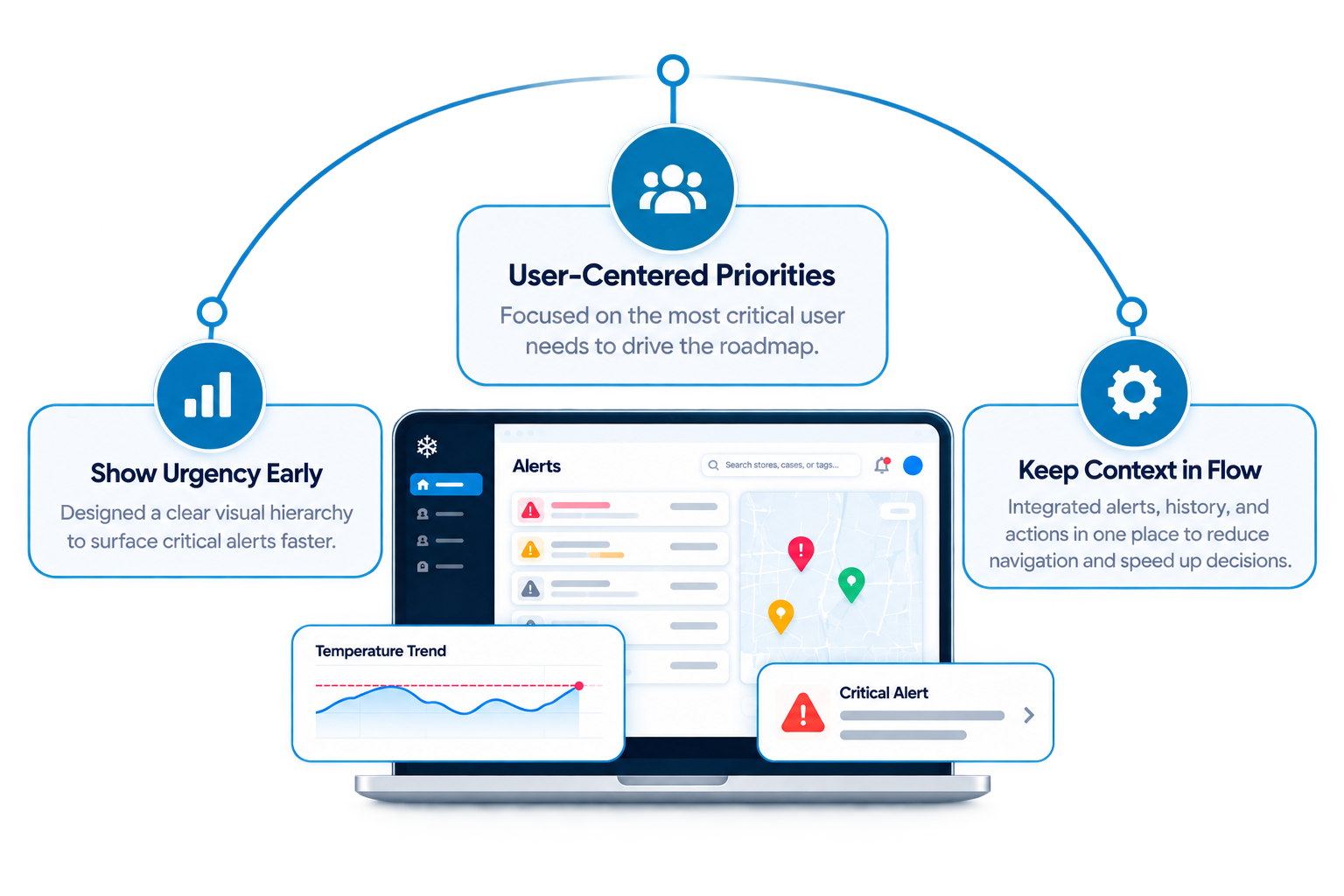
Make urgency impossible to miss.
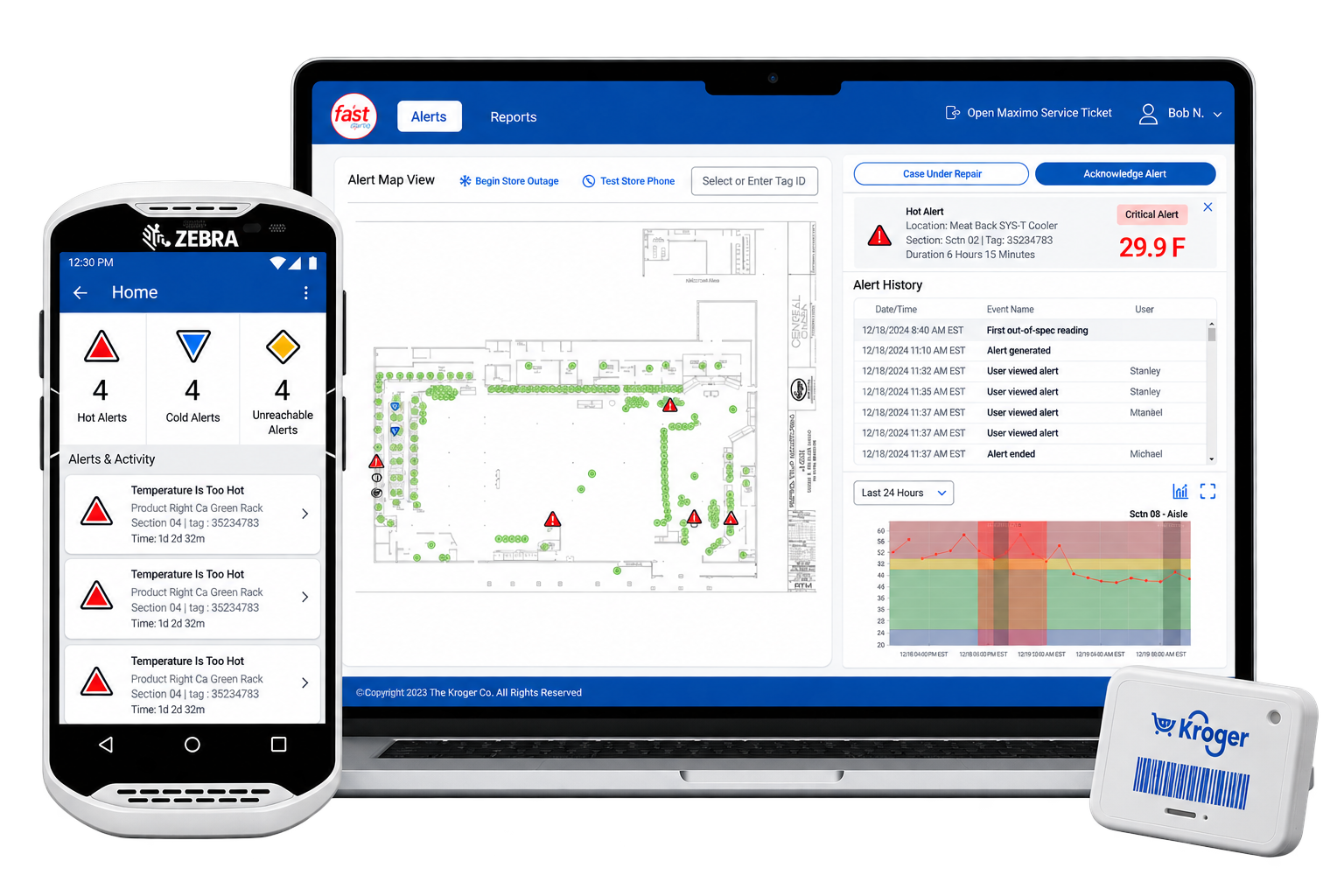
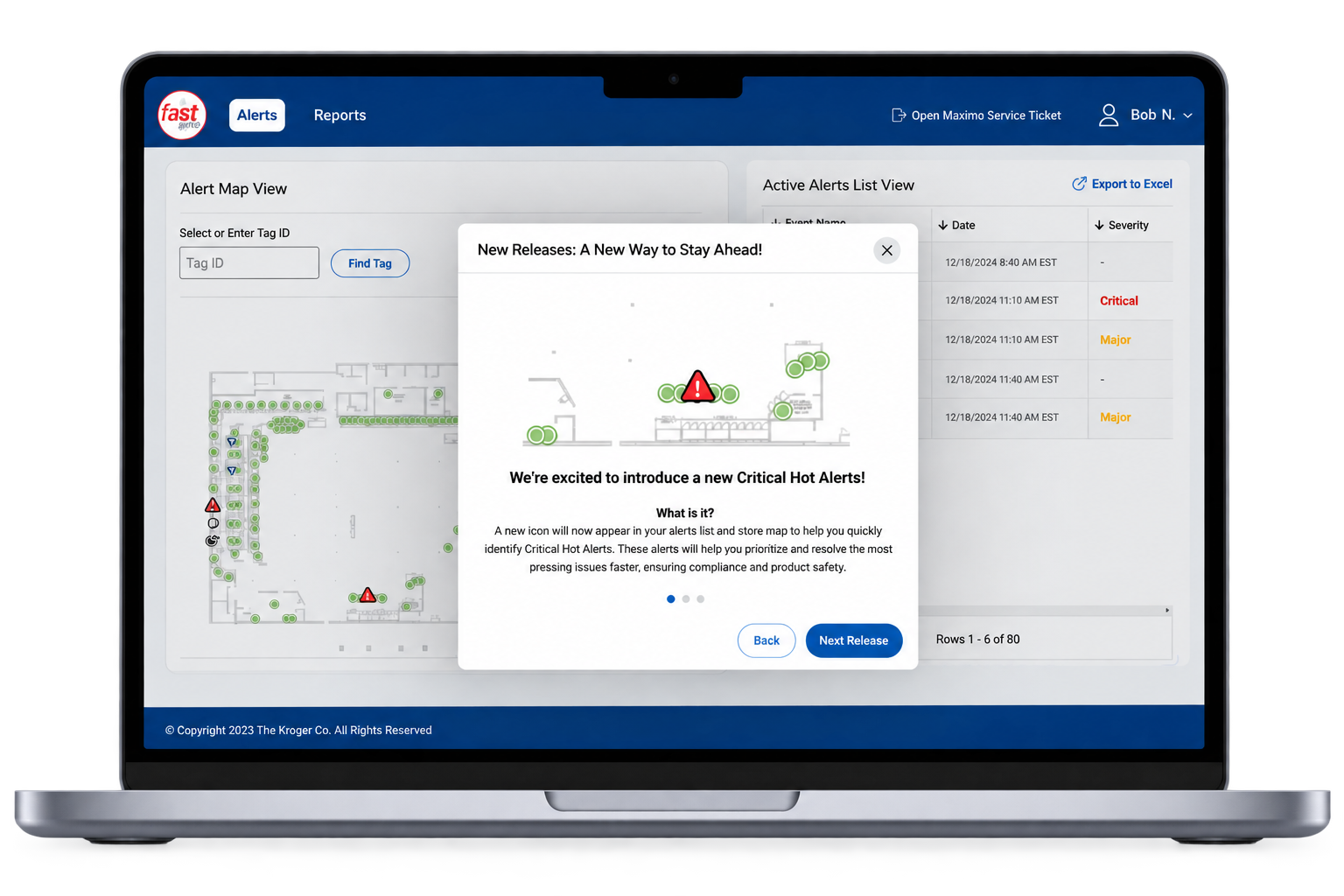
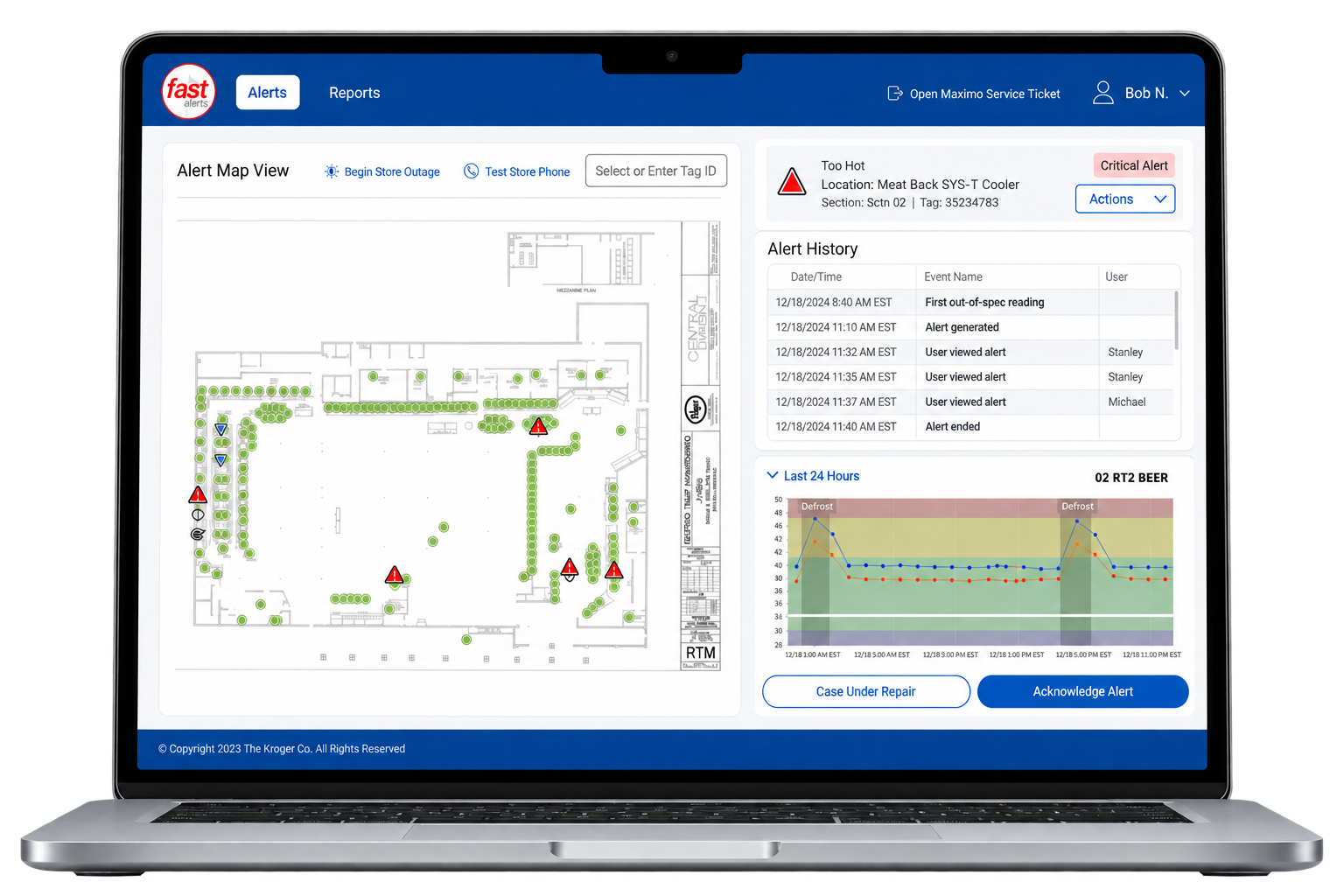
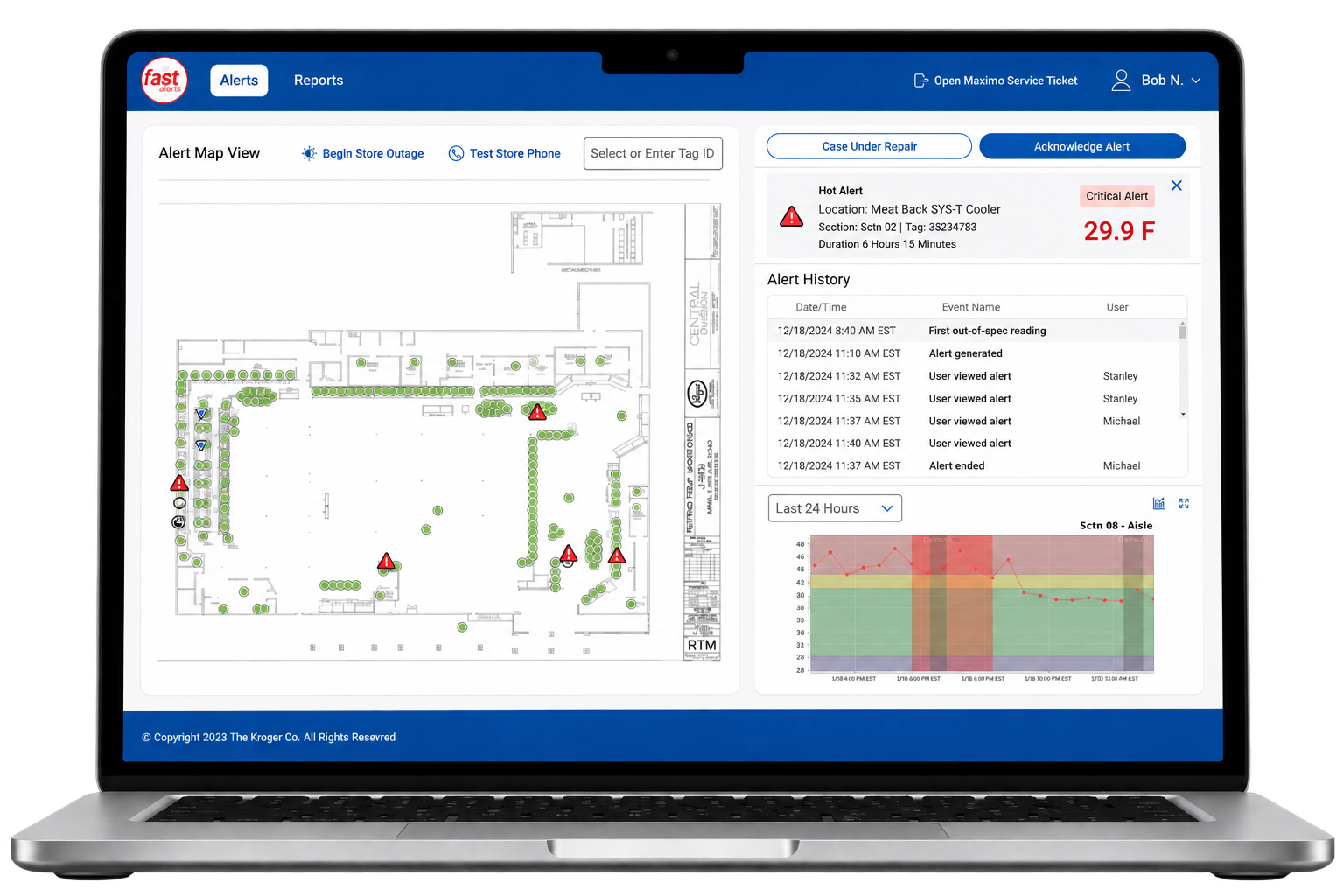
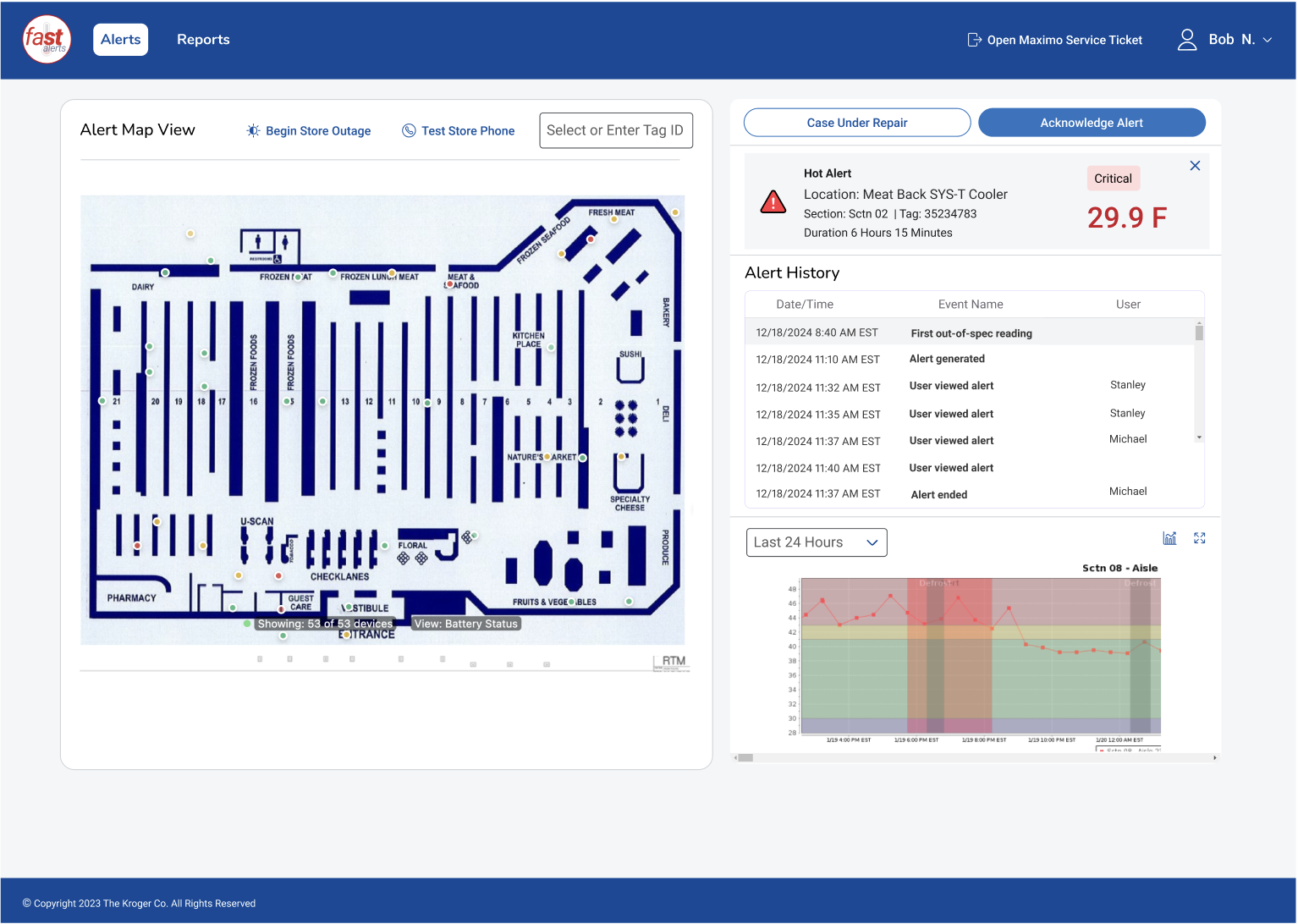
The legacy experience made multiple alert types look too similar. I introduced critical alerts, a new alert type triggered as events approach the 4-hour mark, helping users quickly identify and prioritize the most urgent issue
EVIDENCE- Store teams needed a faster way to distinguish routine issues from conditions approaching a critical threshold.
DESIGN RESPONSE- Use a distinct critical icon, severity treatment, and persistent placement across the alert experience.
URGENCY- Could be understood before reading the details—reducing the cognitive effort required to prioritize work.
DECISION 03 - EVIDENSE BESIDE DECISION
Keep the evidence beside the decision.
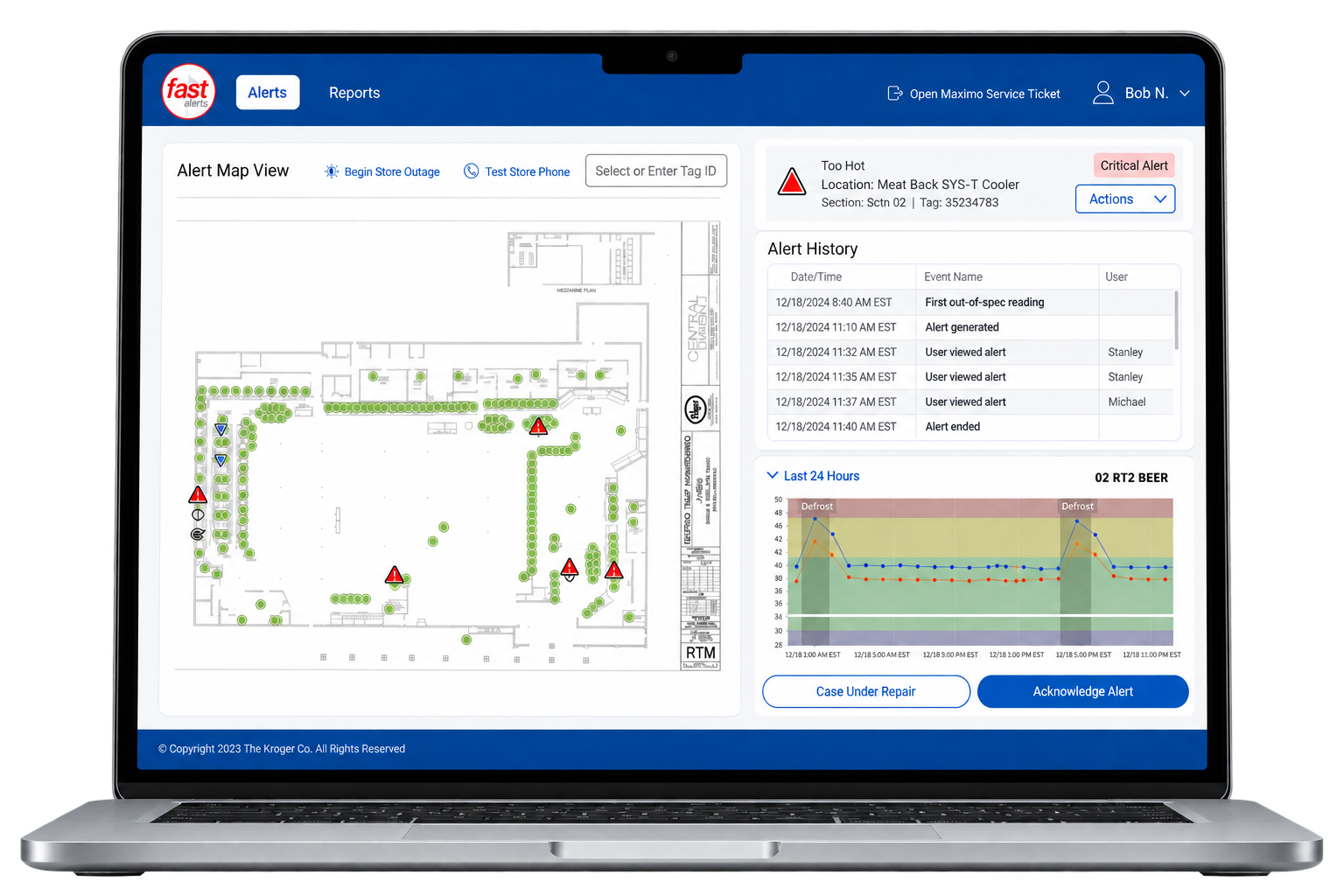
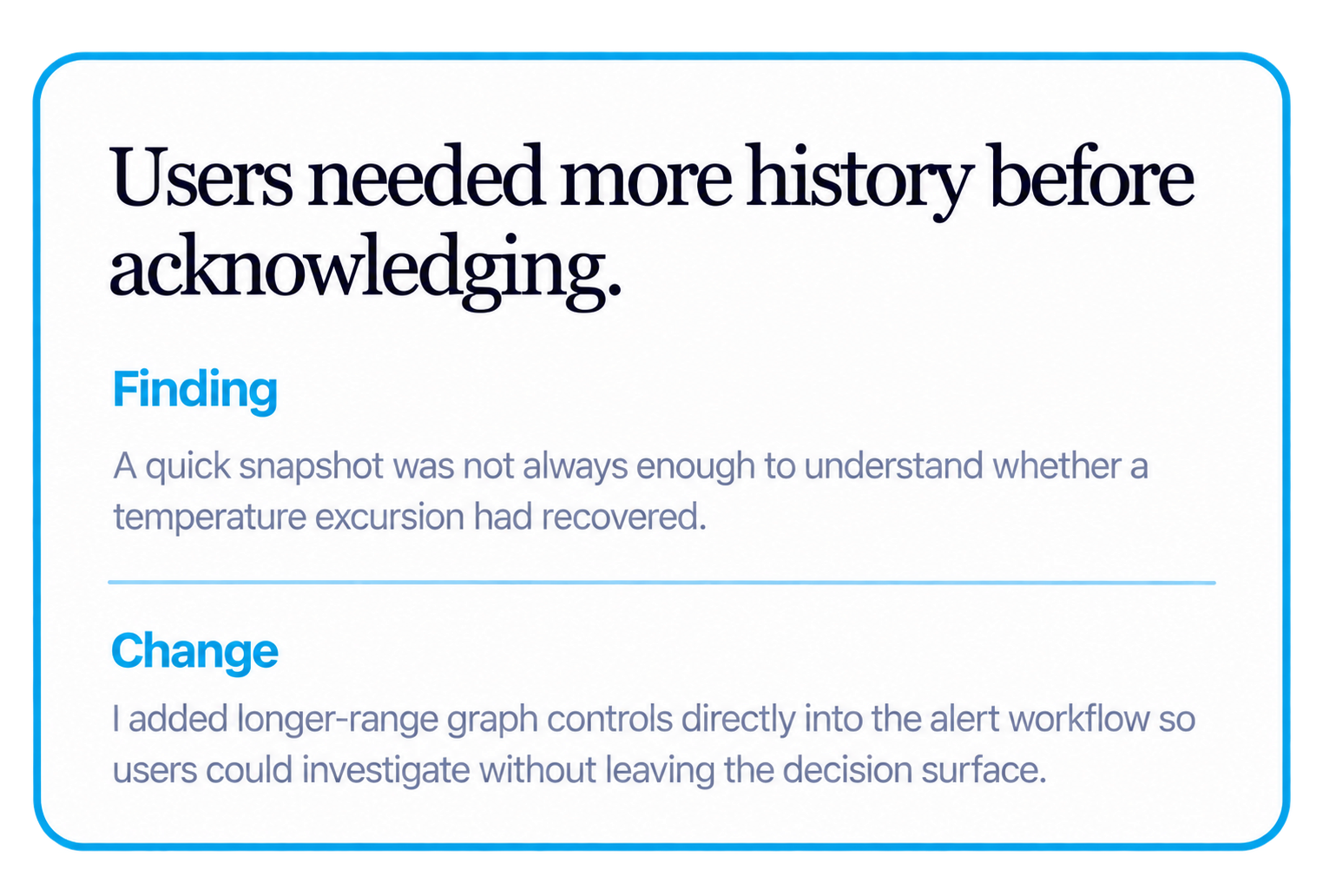
Testing showed that acknowledging an alert was not a binary action. Users often needed to inspect temperature history first.
RESEARCH CHANGED THE WORKFLOW-Users wanted more historical context before deciding whether and how to acknowledge an alert.
DESIGN RESPONSE- a temperature graph snapshot and quick time controls into the alert detail surface instead of sending users elsewhere.
DECISION 06- REDUCED COGNITIVE LOAD
Simplified navigation and data to replace cognitive load
Key decisions that changed the product from an alert list into an operational tool that works
Each decision connected a research finding to a concrete change in how users perceived urgency, gathered evidence, and acted.
OUTCOME- Users could investigate and act without losing context or repeatedly navigating between screens.
I removed unused columns and streamlined navigation by eliminating or combining non-essential items, helping users focus on what matters and take action faster.
DECISION 02 - SITUATIONAL AWARENESS
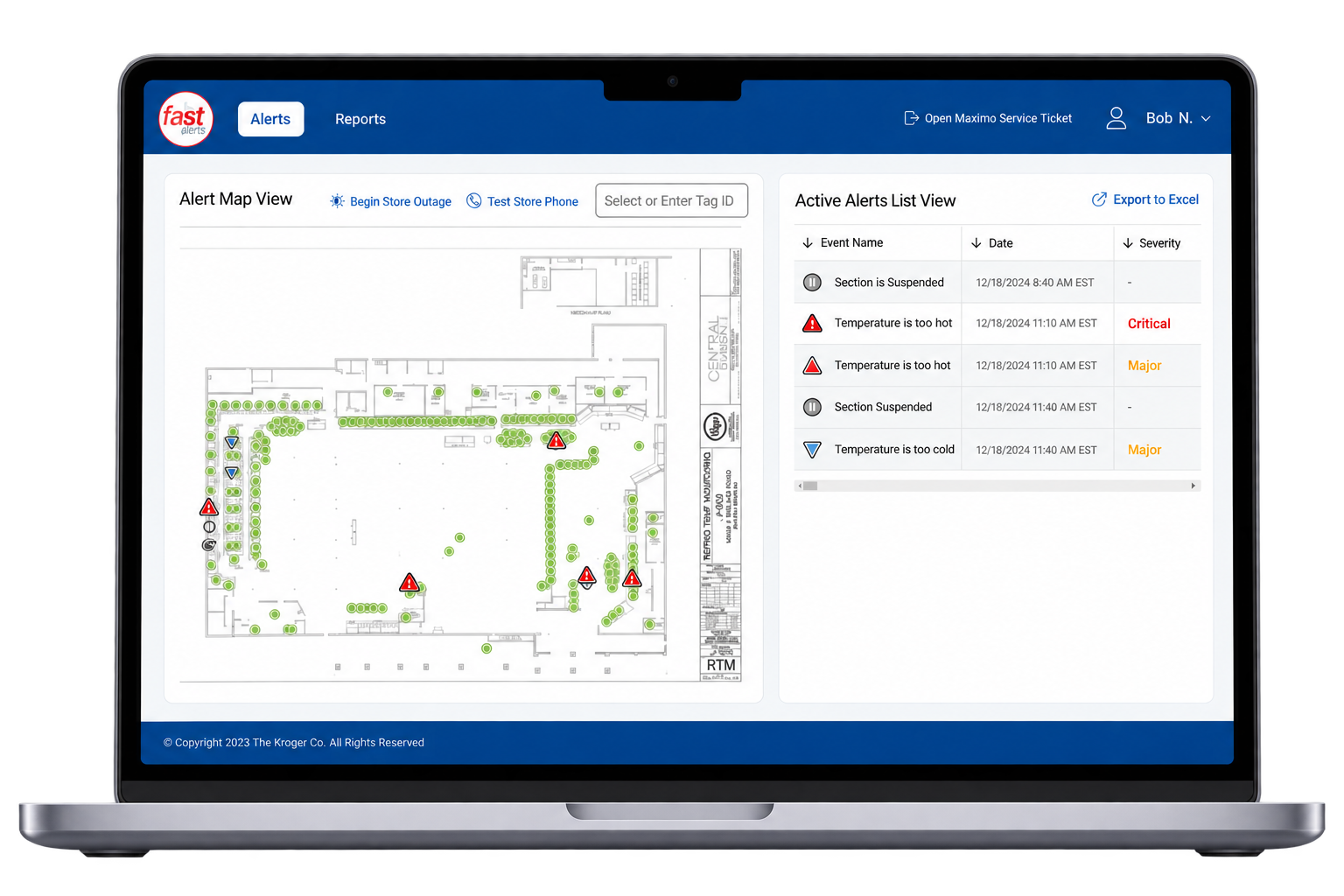
Bring the operational picture into one view.
HOLISTIC ALERT VIEW— A redesigned layout that places the alert list directly beside the store map, giving leaders a complete picture at a glance. Clear urgency indicators ,through color coding and intuitive icons, making it easier to spot and act on critical issues faster.
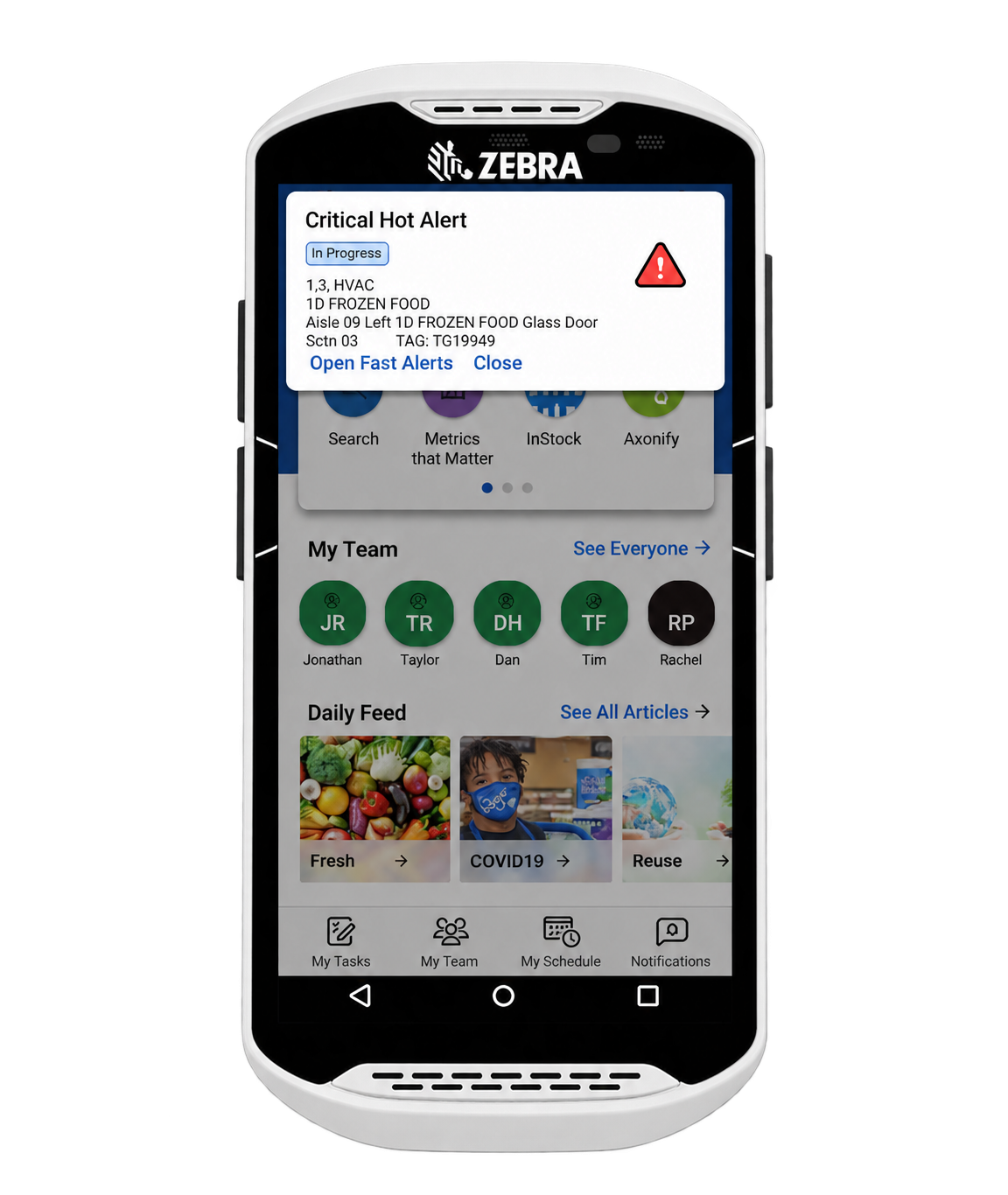
DECISION 04- MOBILITY
Bring critical alerts to the sales floor.
The critical alert is useless if the right person never sees it. Store leaders are often away from a desktop, so the workflow needed to extend beyond the web app.
DESIGN RESPONSE-Surface critical notifications on the Zebra TC-52 devices already used by store teams.
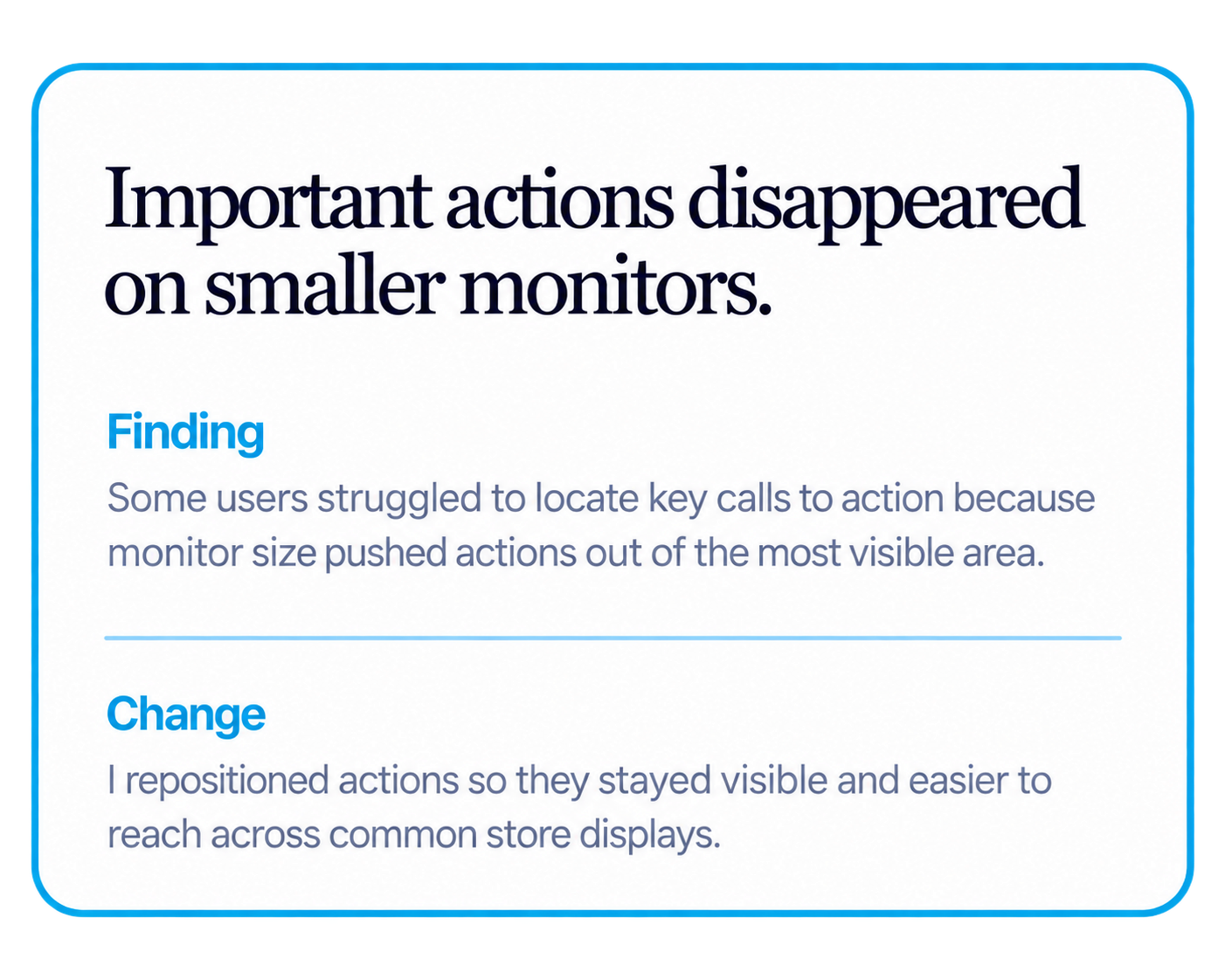
7.TESTING & ITERATION
BEFORE AND AFTER
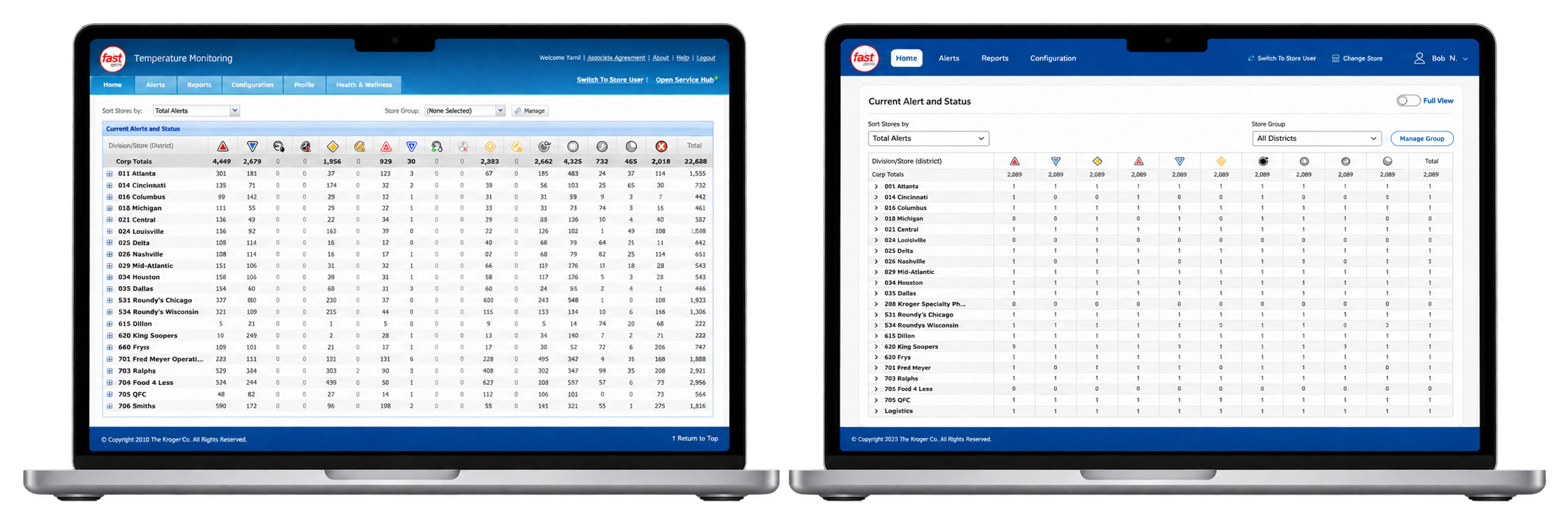
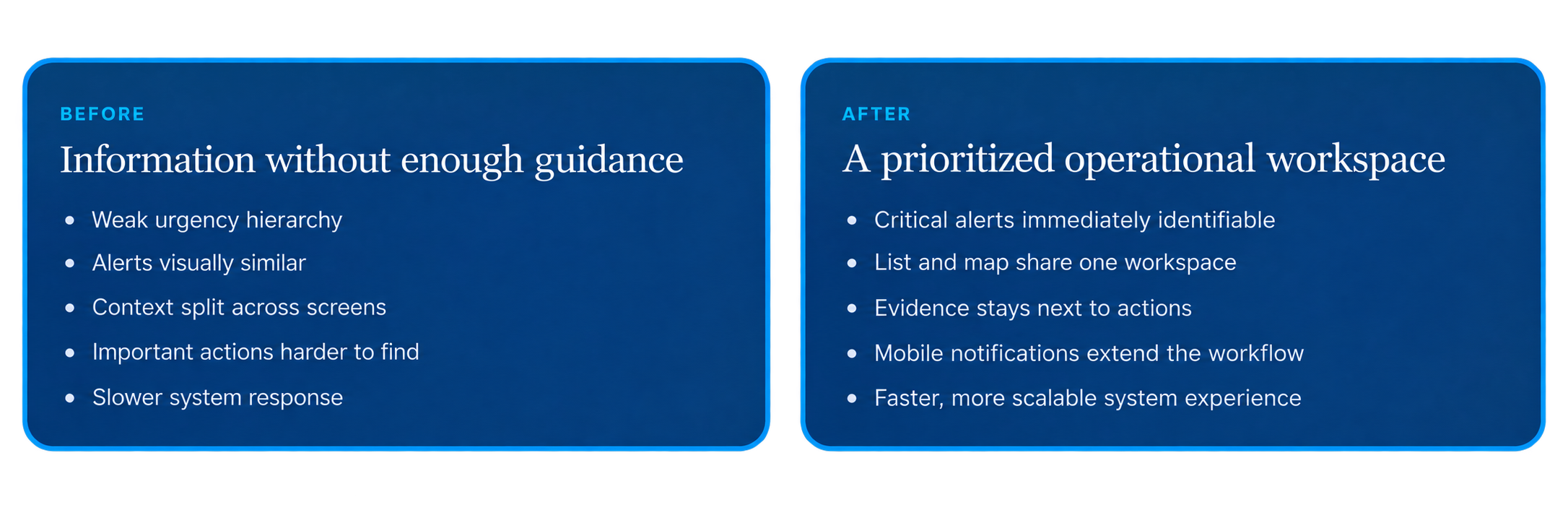
From presenting alerts to helping teams decide what to do next.
The redesign focused less on adding information and more on improving hierarchy, context, and the speed of decision-making.
8.IMPACT
Design that changed operational behavior.
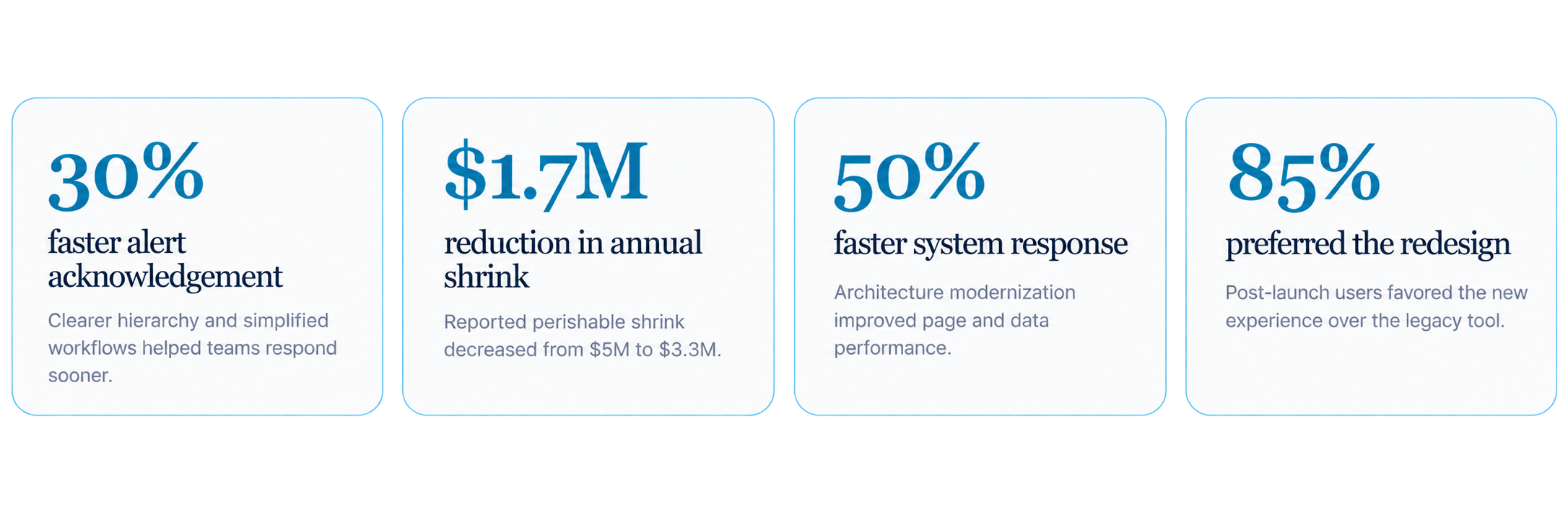
+$300K reduction in energy costs reported after the redesign.
+$300K reduction in energy costs reported after the redesign.
11.KEY LEARNINGS
Modernizing a legacy tool requires balancing technical constraints with user needs.
Direct user research was critical in uncovering workflows that weren’t visible from a technical perspective.
Success wasn’t just about a new look, but also about performance, reliability, and scalability.
12.NEXT STEPS
1.Store Map Visualization – Explore component libraries and technical solutions to deliver a more intuitive, real-time map view of store equipment and alerts.
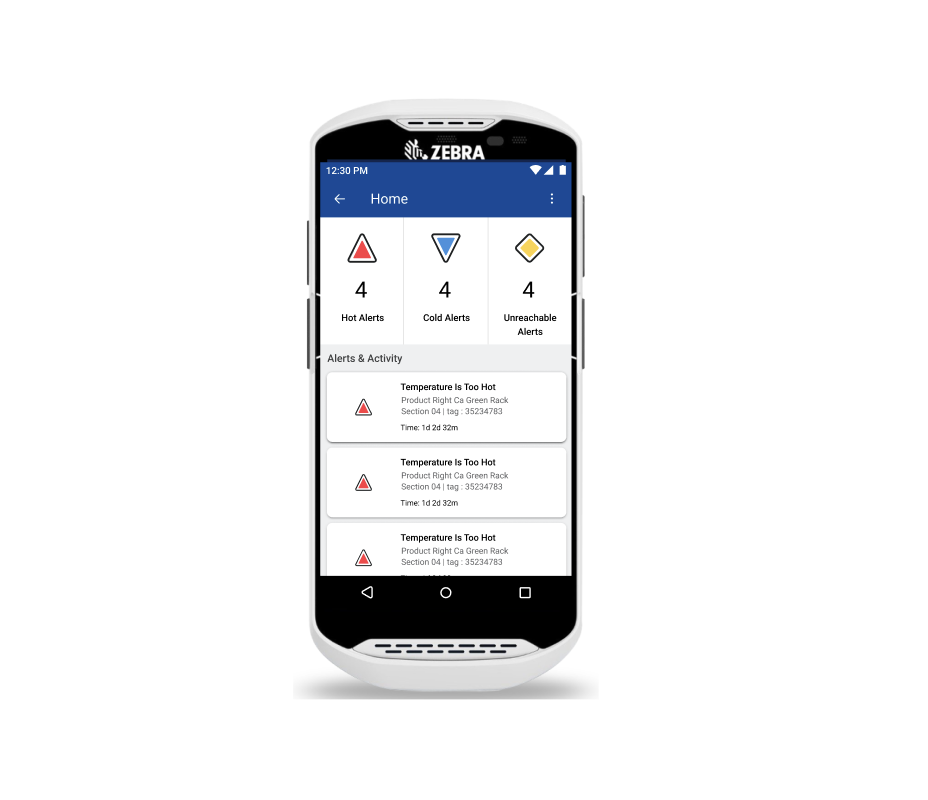
2.Mobile Application Launch – Roll out the FAST Alerts mobile app on TC-52 devices, enabling store leaders to receive and act on alerts wherever they are.